As a restaurant owner or general manager, you build your entire life around the intense rhythm of hospitality. You treat your restaurant like a growing family, nurturing every guest experience with deep emotional care. From the ambient lighting to the warm tone of your automated greetings – you meticulously select every single detail.
Suddenly, a main fiber-optic cable snaps down the street during a chaotic Friday night dinner rush. Your primary internet line goes completely dark. It creates an immediate operational crisis for your busy local establishment.
The credit card terminals stop processing transactions instantly, the kitchen ticket printer goes dead, and above everything, your premium online ordering system completely freezes. Your professional phone greetings fail, which in turn plunges your inbound customer lines into a terrifying, silent void.
Does this operational nightmare sound all too familiar to your management team? You can stop this costly revenue loss before a construction crew accidentally cuts your phone line. Business owners nowadays are implementing practical backup systems like Wireless Failover that keep their operations running smoothly.
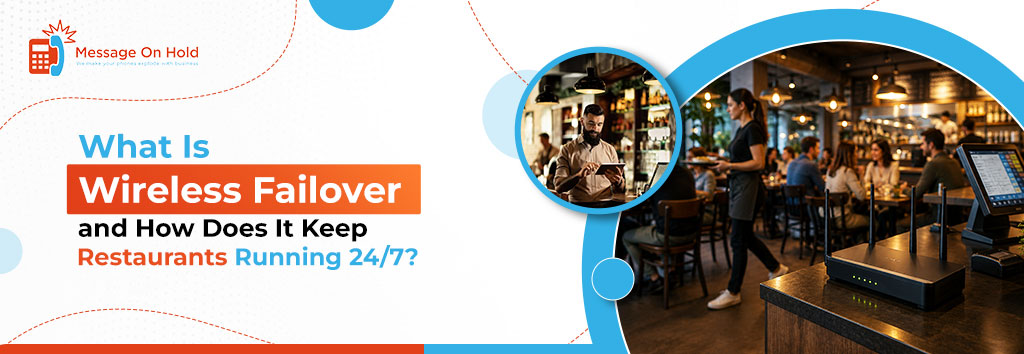
Wireless failover automatically switches your internet to cellular networks if your primary line fails. It’s a seamless backup connection that prevents costly business downtime by keeping critical systems online. But how exactly can it benefit your restaurant? This is what the blog post is all about.
The present comprehensive guide breaks down modern network engineering into practical business survival strategies for your eatery. You will discover what is wireless failover and how automated secondary cellular networks protect your inbound phone traffic and point-of-sale (POS) data routing.
Our breakdown details practical deployment steps, real-world cost comparisons, and measurable long-term operational returns. You will find out how a reliable wireless failover preserves your custom voice recordings and solidifies caller trust.
Stay connected till the end.
The Operational Impact of Internet Outages on Modern Food Services
Modern culinary establishments operate entirely on cloud-based logistical systems. A single hour of complete digital disconnect compromises your customer trust and damages your daily local revenue.
When your main terminal drops offline, your front-of-house staff faces massive operational friction that slows down service. Your administrative team loses total control over critical customer touchpoints and internal tracking parameters.
Take a look at the immediate impacts of internet failure at your restaurant:
1. Broken Phone Lines
Once your network connectivity fails, your inbound telephone communication drops into absolute silence. Customers can hear dead air instead of your custom on-hold messaging or automated attendant menus.
As a result, prospects quickly assume your establishment is closed and immediately phone your direct local competitors.
2. Interrupted POS Payments
Your main payment processing terminals cannot authorize credit transactions without a real-time internet link. Your service staff must ask guests for cash or manually write down sensitive card numbers. This clumsy process creates long lines, ruins customer satisfaction, and stalls your entire dining floor.
3. Frozen Delivery Tablets
The kitchen will lose immediate contact with third-party delivery apps as soon as your local signal drops. Digital orders fail to print, which leads to angry drivers waiting at your pickup counter. Your brand suffers severe operational penalties on major food apps, destroying your search placement.
4. Lost Inventory Access
Most importantly, during a live network blackout, your management team cannot access cloud-hosted back-of-house inventory systems.
Chefs become unable to update current ingredient lists or check incoming supply orders from your local distributors. It’s an informational gap creating chaotic order tracking errors across your entire kitchen staff.
5. Damaged Staff Morale
If critical processing tools stop working during peak service hours, your employees experience extreme stress.
Servers spend valuable time explaining tech issues to frustrated guests instead of delivering hospitality. This internal chaos exhausts your team and damages your employee retention rates over time.
What Is Wireless Failover?
Wireless failover is basically an automated network security system. It instantly shifts your primary internet traffic to a secondary cellular backup connection during a main line outage.
In a bustling food service establishment, physical cable failure is quite common. A wireless failover ensures that your credit card terminals, external delivery platforms, and digital business phone messaging service remain fully operational during this time.
By keeping your local brand accessible and trusted every single day, the tool acts as an invisible communication safety net.
How Does Restaurant Internet Failover Work Behind the Scenes?
Modern commercial network infrastructure relies on constant, stable data communication pathways. An automated phone ordering system is a crucial aspect in this regard. When your main internet service provider suffers a physical link breakage, a specialized enterprise router identifies the line failure within milliseconds.
The backup system or wireless failover services channel your critical local business operations through secure, secondary cellular towers. It doesn’t need manual tech intervention. Such a smooth transmission protects your customer communications from experiencing severe technical disruptions or sudden drops.
1. Hardware Traffic Detection
The core cellular router constantly checks your incoming signal health. It identifies a primary connection failure instantly when data packets stop moving through your traditional physical lines.
The specialized hardware switches your data pathways to cellular streams before your front-of-house staff notices any mechanical errors.
2. Automated Network Switching
The secondary backup cellular framework initiates an instant transfer process. Your live POS systems and internal telephone routing pathways move over to secure local network frequencies.
Such a programmatic mechanism keeps your essential digital business tools connected during a major regional communication crisis.
3. Primary Line Restoration
The wireless failover monitors your traditional wireline infrastructure while running on the secondary cellular connection.
It safely shifts your data traffic back to the primary physical network once the provider fixes the local cable break. It’s a smart step to preserve your precious cellular data limits for future emergency scenarios.
10 Ways a Restaurant Internet Backup Solution Protects Your Business Continuity
Operating a culinary establishment requires total vigilance over your data lines. Local infrastructure accidents happen without warning, but a restaurant’s internet backup solution guards your hard work.
An automated wireless failover ensures your daily guest communications remain active during catastrophic area utility collapses.
1. Secures Orders
Incoming calls stop dead as standard communication links drop offline suddenly. Cellular failover routes your voice traffic instantly to prevent empty lines.
Guests place lucrative dinner orders smoothly while your local competitors lose business. This safety net preserves your baseline weekend revenue margins effortlessly.
2. Protects Payments
Imagine the immediate front-of-house panic when credit card readers fail mid-shift. Modern cellular backup terminals authorize transactions instantly through secure secondary mobile frequencies.
Your service staff keeps checkouts moving without forcing guest delays. Happy patrons will exit your dining floor without experiencing payment friction.
3. Saves Brand Audio
Silence creates massive consumer doubt and drives phone prospects away instantly. Your secondary network systems can stream your licensed hold music and customized promotions beautifully.
Callers remain fully engaged while waiting for your busy host stand staff. The continuous audio presentation confirms your professional business authority.
4. Maintains Delivery Tablets
Third-party platform tablets drop offline immediately when the traditional line cords snap. The backup wireless system preserves these cloud links so kitchen tickets print.
Drivers can pick up hot meals on time without waiting around awkwardly. Your digital merchant standing remains perfect on every mobile app.
5. Tracks Kitchen Inventory
During massive tech blackouts, kitchen chefs lose track of real-time ingredient storage. Secure standby routing keeps your back-of-house inventory software completely synchronized with ordering.
Your team, in this way, can avoid costly double-bookings on expensive prime steaks or fresh seafood. Clear operational tracking protects your tight food cost metrics.
6. Reduces Employee Stress
Angry customers exhaust your front-of-house service staff during peak weekend hours. Automated line switches keep tools running so servers focus purely on hospitality.
Your employees are able to avoid the nightmare of manual paperwork or constant credit card re-tries. In this way, having a real technical stability through wireless turnover preserves your team’s workspace morale.
7. Safeguards Guest Loyalty
Local patrons expect premium professional execution from your neighborhood dining spot. Active phone lines and rapid checkouts feasibly prove your operational competence through crises.
You build massive competitive advantages by keeping your promises when others crash. With consistent customer care, your first-time diners turn into lifelong brand fans.
8. Preserves Automated Menus
Outages scramble basic interactive voice routing menus, causing immediate caller hang-ups. Cellular backup paths keep your automated navigation instructions active for incoming guests.
Hungry prospects route themselves directly to catering or private event booking desks. Your internal corporate communication matrix handles every incoming request.
9. Secures Financial Insurance
Extended technical downtime destroys thousands of dollars in high-margin credit sales. An automated backup router provides an immediate financial insurance policy for operations.
The low monthly subscription easily covers your risks against local utility line construction errors. As a futuristic business owner, you must invest in long-term infrastructure protection.
10. Maintains Site Security
Your video surveillance cameras lose contact with off-site cloud servers during blackouts. Secondary data tunnels maintain these crucial security streams around the clock.
Your physical asset stays completely safe from external vulnerabilities during regional grid issues. Be able to manage multiple locations with absolute psychological peace of mind.
Comparing Business Internet Backup Options for Commercial Use
Evaluating different connection methods helps you select the right operational fit for your food service team. Many traditional backup choices require high manual effort or introduce severe compatibility issues to your network.
Reviewing these commercial options helps you identify the most reliable pathway for your restaurant communications.
| Backup System Type | Cutover Activation Speed | Technical Setup Friction | Real-World Operational Reliability |
| Secondary Wired Cable Line | Slow (Takes 30 to 60 Seconds) | High (Requires Extra Physical Wiring) | Low (Vulnerable to Same Local Pole Damage) |
| Manual Mobile Hotspot Device | Very Slow (Requires Manual Login) | Medium (Friction Reconnecting Terminals) | Very Low (Cannot Support Multi-Terminal Loads) |
| Automated Satellite Connection | Moderate (Takes 10 to 15 Seconds) | Very High (Requires Roof Dish Placement) | Medium (Signal Suffers During Heavy Storms) |
| Automated Wireless Failover | Instant (Takes 1 to 3 Seconds) | Low (Integrates Into Current Routers) | Kitchen chefs lose track of real-time ingredient storage |
How Does Business Internet Failover Work?
Implementing business internet failover services provides your business with clear technical boundaries and explicit restoration milestones. The underlying technology follows a strict chronological loop to protect your commercial data streams from suffering lengthy blackouts.
Here’s the timeline below to help you anticipate how your systems behave during a live local network emergency:
1. Failure Detection Phase (1 Second)
The router detects a complete loss of data movement on your primary wireline network link. It sends a fast ping request to confirm the regional carrier outage before initiating changes.
2. Backup Activation Phase (3 Seconds)
The system activates your integrated internet failover service, routing data traffic to local cellular towers. Your digital business phone messaging service and card terminals remain online during this fast switch.
3. Standby Monitoring Phase (Continuous)
Your business runs smoothly on the secondary cellular backup network while your main provider fixes the line. The hardware continuously tests the primary physical cable connection until it detects a stable signal.
4. Automatic Failback Phase (2 Minutes)
The router detects a consistent, healthy signal on your main wireline for two straight minutes. It safely shifts your data traffic back to the primary source without causing connection drops.
How to Set Up a Wireless Failover In A Restaurant Business?
Setting up a robust wireless internet failover system requires careful preparation to ensure total compatibility with your site. It’s possible to execute this communication upgrade without experiencing massive technical headaches or high installation friction.
The structured installation pathway below guarantees that your backup network activates perfectly when a real-world crisis strikes.
Day 1: Assess Hardware Compatibility
First, examine your current POS terminal configurations and commercial business phone audio hardware infrastructure. Verify that your primary edge routing equipment possesses an unassigned WAN network port for an extra line input.
This initial structural inspection prevents you from purchasing incompatible cellular parts or matching accessories.
Day 2: Select a Dedicated Carrier
Test the local cellular signal strengths of major network providers inside your physical kitchen space. You can choose a corporate data plan that delivers excellent indoor coverage and sufficient bandwidth for your card systems.
Such a targeted choice ensures your backup link maintains strong data speeds during peak local traffic hours.
Day 3: Integrate Backup Services
Connect your new cellular receiver to the secondary port on your main business network router. Then, configure the system software to run in automated standby mode. It triggers only during primary outages. The final implementation step completes your low-friction network upgrade, keeping your brand voice active 24/7.
How Message On Hold Can Help?
At Message On Hold, our wireless failover solutions act as an instant, systematized safety net for your restaurant or QSR. We ensure that a dropped primary internet connection never translates to a dropped order or lost revenue. The moment your default communication network fails, our system automatically switches your operations over to a secure cellular backup, keeping your:
- VOIP phone lines are crystal-clear.
- AI phone ordering is active.
- And your branded online ordering apps are fully operational without a single second of disruptive downtime.
While an outage might leave neighboring businesses completely in the dark, our solution guarantees that your customers can still place orders, track deliveries, and engage with your brand seamlessly.
Hiring our professional team to manage this infrastructure is vital. It’s because implementing a reliable failover strategy requires specialized technical expertise beyond just plugging in a backup router. We handle the entire end-to-end configuration – from call routing to seamless POS and AI integrations. You never really have to worry about the underlying technology.
Secure Your Brand’s Voice and Operations Against Unexpected Downtime With Message On Hold
Now that you know what is wireless failover, every dropped call represents a missed customer relationship and lost revenue. Message On Hold’s professional wireless failover team delivers reliable, low-friction backup communication tools to keep your restaurant operating 24/7.
We integrate your custom voice recordings, professional phone greetings, and licensed hold music tracks into a secure network architecture.
Contact our team today to request a quote, secure your operations, and upgrade your restaurant communication experience.
Frequently Asked Questions (FAQs)
1. What is the purpose of Wireless failover?
The primary purpose is to maintain constant operational uptime for your critical business systems during an unexpected carrier outage. It’s an automated process shifting data paths seamlessly to protect your customer service access and revenue streams.
2. What is the difference between failover and outage?
An outage represents a complete telecommunication line failure that brings your primary business systems offline. Contrarily, failover is the automated recovery solution that instantly restores your connectivity using a secondary, independent cellular data pathway.
3. Why do restaurants need wireless failover?
Restaurants require AI-based wireless internet failover to protect real-time payment processing and continuous phone order collection. A persistent connection like this eliminates front-of-house panic, prevents dropped calls, and secures customer loyalty.
4. How does a backup connection protect custom on-hold messaging?
A backup connection provides immediate cloud access for your integrated internet voice equipment when primary physical lines fail. Having a continuous network path keeps your professional greetings and custom hold music streaming beautifully without cutting out.